The Stackyard
Finding things just got a lot easier.
A free Chrome extension for reading Substack by recommendation instead of by algorithm. It's not about who you follow, it's about who you recommend.
Version 0.6.49 · Chrome or Brave on a computer · Free
How it works
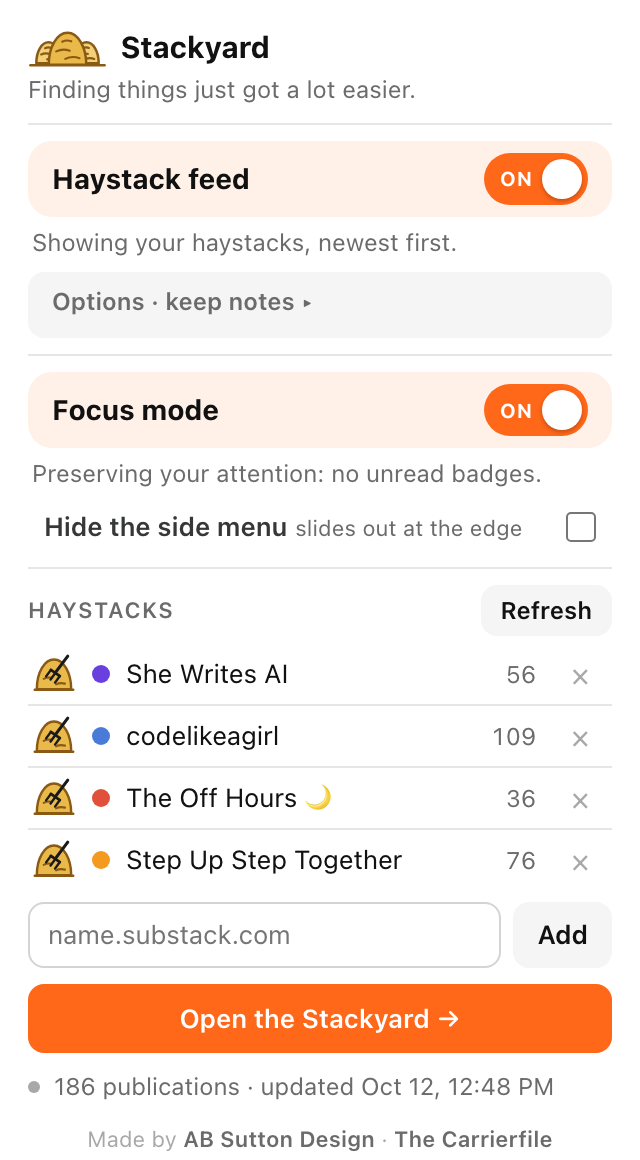
Pick a publication you love.Everyone it recommends goes into its haystack.
Turn on the Haystack feed.Your Substack Home shows just haystack writers, newest first.
Open the Stackyard.One page of every post and Note your haystacks recommend.
NEW IN THE BETA
Made with our beta testers
Focus mode.Hides the little red badges, so you read instead of checking.
Hide the side menu.It tucks away and slides out when you touch the edge.
Save straight to Substack.Bookmark from the Stackyard and it lands in your Saved list.
The Stackyard in your Substack menu.One click away, right next to Explore.
Install (about a minute)
- Download the zip and unzip it. Move the Stackyard folder somewhere it can stay, like Documents. Chrome runs it from that folder, so don't delete it.
- In Chrome, type
chrome://extensionsin the address bar and press Return. (In Brave, it'sbrave://extensions.) - Turn on Developer mode with the switch in the top-right corner.
- Click Load unpacked and choose the Stackyard folder.
- Click the puzzle-piece icon in the toolbar and pin Stackyard, so the little haystack sits in your toolbar.
Chrome may show a note about developer-mode extensions. That's normal for anything installed outside the Chrome Web Store. Updating later: unzip the new version over the old folder, then click the reload arrow on the Stackyard card in chrome://extensions.